

Buying a new smartphone is no longer as simple as picking the most expensive phone on the shelf. Today, even budget phones come with powerful processors, multiple cameras, fast charging and big displays. That sounds great, but it also makes the decision confusing. If you only look at brand names or ads, you might end up paying more money for features you do not need, or you might miss an important spec that matters for your daily use.
In this guide, we will walk through the 10 most important smartphone specs you should always check before you press the “Buy Now” button or swipe your card in a store. You do not need to be a tech expert to understand these points. We will use simple language and real-life examples so that anyone can choose the right phone with confidence.
1. Processor (Chipset): The Brain of Your Phone
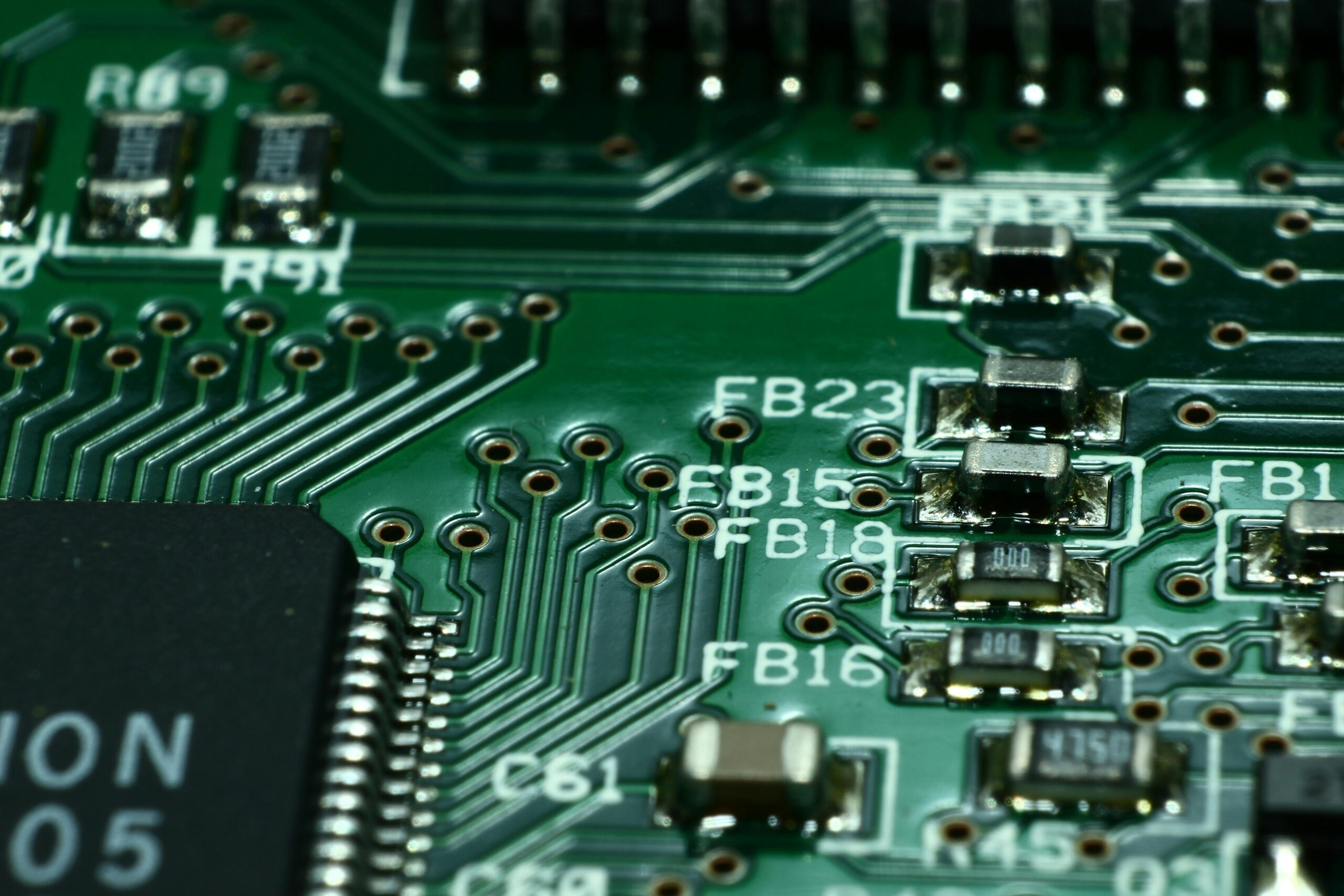
The processor, also called the chipset or SoC (System on Chip), is the brain of your smartphone. It controls how fast apps open, how smoothly games run, and how well the phone handles multitasking. If the processor is weak, the phone will feel slow after a few months, even if it has a lot of RAM.
Popular chipset families include Snapdragon, MediaTek, Exynos, Apple A-series and others. You do not need to memorize every model number, but it helps to know where a processor stands:
- Flagship / High-end chips – Great for gaming, video editing, and heavy multitasking.
- Mid-range chips – Balanced performance for most people; good for social media, streaming, and normal games.
- Entry-level chips – Best for basic use like calls, WhatsApp, emails and light apps.
When checking a phone, search for a short review of the chipset or quickly compare it to other chips in the same price range. If you see many people complaining about lag or heating, it may be better to skip that model. A slightly older but stable processor is often better than a brand-new but poorly optimized one.
2. RAM: How Many Apps You Can Keep Open
RAM (Random Access Memory) is where your phone keeps apps and system data while they are running. More RAM allows the device to keep more apps open in the background without closing them. This means less waiting when you switch between WhatsApp, Instagram, YouTube and your browser.
As a simple guideline:
- 4 GB RAM – Minimum for basic users. Fine for calling, light social media and simple apps.
- 6 GB RAM – Good for most users. Multitasking feels smoother.
- 8 GB RAM or more – Great for gamers, power users and people who keep many apps open.
Do not forget that software optimization also matters. A well-optimized phone with 6 GB RAM can feel smoother than a poorly-optimized phone with 8 GB. So, consider both RAM and the brand’s reputation for software updates and stability.
3. Storage: Where Your Photos, Apps and Videos Live
Nothing is more annoying than seeing the message: “Storage almost full” when you try to take an important photo. Storage capacity determines how many apps, photos, videos and offline songs you can keep on your device.
Today, 32 GB is too low for most people. After the system and pre-installed apps, you may only get around 20 GB free. A few games or high-quality videos will fill it quickly. A better plan is:
- 64 GB – Basic level, suitable for light users who store most things in the cloud.
- 128 GB – Ideal sweet spot for many people, especially if you shoot photos and videos regularly.
- 256 GB or more – Great for content creators, gamers, or people who keep movies and large offline files.
Also check the type of storage. UFS 2.2, UFS 3.x and newer standards are significantly faster than old eMMC storage. Faster storage helps your phone open apps quicker and improves overall responsiveness.
4. Display Size and Type: What You Stare at All Day
The display is the part of the phone you interact with the most. A bright, clear, comfortable display can make everyday use enjoyable, while a dull or low-quality screen can strain your eyes.
There are three key things to check: size, resolution, and panel type.
4.1 Size
Phone screens are usually measured in inches diagonally. Bigger screens (6.5″ and above) are great for movies, gaming and reading, but they can be harder to use with one hand and may feel heavy after long use. Compact phones (around 6.1″ or smaller) are easier to handle but less immersive for media. Think about how you use your phone daily before deciding.
4.2 Resolution
Resolution describes how many pixels the screen has. Common options include HD+, Full HD+ and sometimes QHD. In most mid-range phones, Full HD+ (around 1080p) offers a very good balance of clarity and battery usage. HD+ may look slightly soft on a large screen, while QHD is usually limited to expensive flagship devices.
4.3 Panel Type
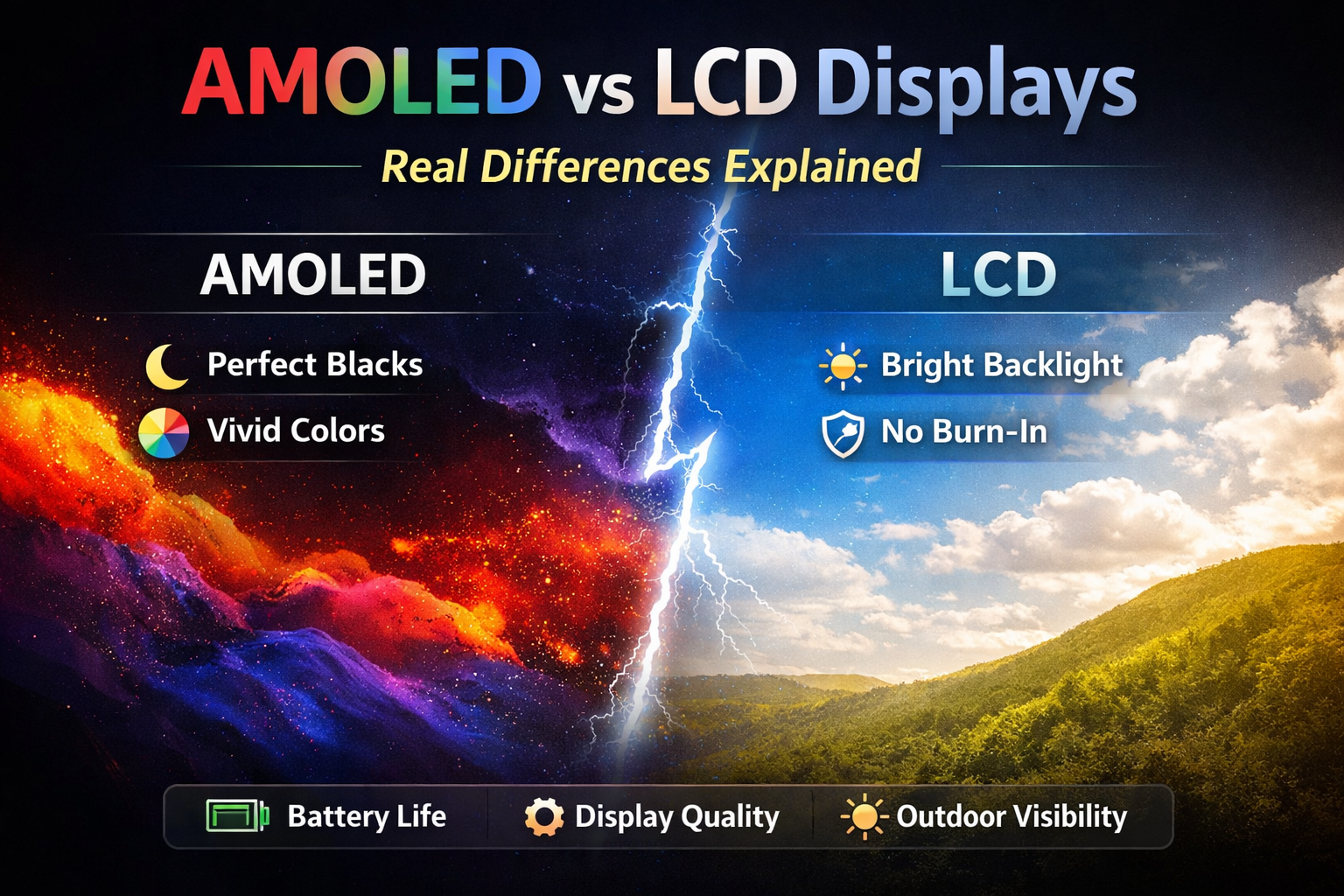
Two main types dominate the market: LCD/IPS and OLED/AMOLED. OLED screens usually have deeper blacks, better contrast and more vibrant colors. They also support always-on displays more efficiently. Good IPS displays can still look nice and they are often found in more affordable phones. If your budget allows, an AMOLED screen is usually a noticeable upgrade.
5. Refresh Rate: Smoothness You Can See
Refresh rate, measured in Hertz (Hz), indicates how many times the display updates per second. Traditional displays are 60 Hz. Many newer phones offer 90 Hz, 120 Hz or even higher. A higher refresh rate makes scrolling, animations and games feel smoother.
For most users, 90 Hz is already a big improvement over 60 Hz. Gamers and heavy users may prefer 120 Hz for extra smoothness. Keep in mind that high refresh rates can use more battery, especially if the phone does not have good adaptive refresh technology. It is ideal if the phone can automatically change between 60 Hz and 90/120 Hz depending on what you are doing.
6. Camera System: More Than Just Megapixels
Smartphone brands love to advertise cameras with very high megapixel numbers: 64 MP, 108 MP, 200 MP and more. However, image quality depends on many factors: sensor size, lens quality, image processing and software. A well-tuned 12 MP camera can be better than a poorly tuned 64 MP one.
When checking camera specs, look at:
- Main rear camera – Check the aperture (like f/1.8). Lower numbers usually mean better low-light performance.
- Ultra-wide lens – Helpful for landscapes, group photos and travel shots.
- Telephoto lens – Provides optical zoom without losing detail (better than only digital zoom).
- Front camera – Important if you take a lot of selfies or attend many video calls.
It is also useful to see real-world sample photos and videos. Look at how the camera performs in low light, how skin tones look, and if the phone struggles with moving subjects. Features like optical image stabilization (OIS), night mode and 4K video can add value, but good basic image quality is more important than a long list of features.
7. Battery Capacity and Charging Speed
Battery capacity is measured in milliampere-hours (mAh). A larger number usually means longer battery life, but it also depends on the processor’s efficiency, screen size, refresh rate and software.
Many modern smartphones offer around 4500–5000 mAh batteries, which is sufficient for a full day of mixed use for most people. If you travel a lot, play games or stream videos constantly, you may appreciate an even bigger battery or very fast charging.
Fast charging is rated in watts (W). 18W, 33W, 45W, 65W and even higher speeds are now common. Faster charging is convenient, but also check if the adapter comes in the box and whether the phone gets too hot during charging. A balanced, safe fast-charging technology is better than extreme speed with potential battery health issues.
8. Network and Connectivity: 5G, Wi-Fi and More
Even the most powerful phone feels limited if it cannot connect well. Today, you should at least look for solid 4G performance and consider 5G support if it is available in your region or likely to arrive soon. A 5G phone is more “future-ready”, but do not choose a very weak 5G phone just for the sake of the label.
Also check:
- Wi-Fi – Support for newer standards (such as Wi-Fi 5/6) generally offers faster, more stable connections.
- Bluetooth – Newer versions improve audio quality and connection stability for wireless headphones.
- Dual SIM – Useful if you travel, use a separate work number, or take advantage of offers from different networks.
- GPS and NFC – GPS is standard, but NFC is handy for contactless payments and quick pairing.
9. Build Quality, Design and Extra Features
Specs on paper are important, but how the phone feels in your hand matters just as much. A device that looks beautiful but feels slippery, or is too heavy, may not be comfortable to use for long periods.
Consider:
- Materials – Glass backs look premium but can be fragile; plastic backs are lighter and often more durable.
- Weight and thickness – Very heavy phones can cause wrist fatigue, especially for people who hold the phone for long calls or gaming.
- Protection rating – IP ratings (like IP67, IP68) indicate resistance to dust and water.
- Extras – Stereo speakers, headphone jack, expandable storage with microSD, IR blaster and fingerprint placement (side, back, in-display).
Think about your daily routine. If you often watch videos without earphones, stereo speakers are a big plus. If you still use wired headphones, a 3.5 mm jack can be important. These small details can change how much you enjoy your phone.
10. Software, Updates and Privacy
The software experience can make or break a smartphone, even if the hardware is excellent. Two phones with the same processor and RAM can feel very different depending on the user interface and optimization.
When you compare phones, pay attention to:
- Operating system version – Check that the phone ships with a recent version of Android or iOS.
- Update policy – Some brands promise multiple years of OS and security updates.
- Bloatware – Unnecessary pre-installed apps can take storage and show annoying notifications.
- Privacy options – Permission controls, app tracking protections and secure lock methods are valuable.
A clean, simple interface that receives regular updates often ages better than a flashy UI that the brand stops supporting after one year. Before you buy, it is worth checking if the manufacturer has a good track record of providing timely security patches.
How to Match Specs with Your Real-Life Needs
After reading all these specs, you might feel that you need everything at the highest level. In reality, most people can save money by choosing balanced specs instead of chasing the maximum numbers. The key is to match your purchase with your lifestyle.
For example, if you are a student or office worker who mostly uses social media, email, music and streaming, a phone with a mid-range processor, 6–8 GB RAM, 128 GB storage, a decent dual camera and 5000 mAh battery will be more than enough. You do not need the most powerful gaming chip or a 200 MP camera.
On the other hand, if you are a creator, gamer or mobile photographer, you may want to prioritize a high-end processor, a strong camera system with OIS, high-refresh-rate AMOLED display and fast charging. You can then compromise slightly on other areas like extreme zoom or luxury materials to stay within budget.
Frequently Asked Questions (FAQs)
1. How much RAM is enough for a smartphone in 2025?
For most users, 6 GB RAM is a comfortable minimum that keeps social media, browsing and video apps running smoothly without frequent reloads.[1][2]
Heavy gamers or multitaskers who switch between many apps can benefit from 8 GB or more, especially on Android phones with custom skins.[3][4]
2. Is a mid-range processor good enough for gaming?
Modern mid-range processors from Snapdragon and MediaTek can handle casual and even many popular competitive games at medium settings without major issues.[5][3]
If you want high refresh-rate gaming at consistent frame rates, a recent upper mid-range or flagship chipset is safer for long-term performance.[6][2]
3. What is the ideal storage for most users?
For mixed use with photos, social apps and a few games, 128 GB has become the practical sweet spot to avoid frequent “storage full” warnings.[7][2]
Light users who mostly stream and use cloud services can manage with 64 GB, while content creators often prefer 256 GB or higher.[8][3]
4. Do I really need 5G right now?
If 5G coverage is good in your city and you keep phones for 3+ years, choosing a solid 5G phone makes the device more future-ready.[4][9]
However, a strong 4G phone with better processor and camera can still be a smarter buy than a weak 5G phone just for the logo.[2][3]
5. Is AMOLED always better than LCD?
AMOLED panels usually offer deeper blacks, higher contrast and better HDR video experience compared to typical LCD/IPS screens.[5][4]
A good quality IPS LCD can still look excellent and often appears in more affordable, battery-efficient phones, so panel tuning also matters.[10][8]
6. What refresh rate should I pick: 60 Hz, 90 Hz or 120 Hz?
Moving from 60 Hz to 90 Hz already makes scrolling and UI animations look noticeably smoother for most people.[6][4]
Serious gamers or users who love ultra-fluid interfaces often prefer 120 Hz, ideally with adaptive refresh so the phone can save battery when high smoothness is not needed.[3][2]
7. Are more megapixels always better?
Megapixels help with detail, but sensor size, lens quality and image processing normally matter more for real-world photo quality.[5][3]
A well-optimized 12–50 MP camera from a reputed brand can outperform a poorly tuned 108 MP sensor in low light or tricky scenes.[4][8]
8. How important is optical image stabilization (OIS)?
OIS helps reduce blur in low-light photos and makes handheld videos less shaky by stabilizing the camera lens or sensor.[3][4]
If you often shoot at night, record video while walking or zoom in a lot, picking a phone with OIS on the main camera is a big advantage.[2][6]
9. What battery capacity should I aim for?
A 4500–5000 mAh battery is now common and usually enough to last a full working day for an average user.[7][4]
If you travel frequently, play games or use mobile data and hotspot heavily, look for 5000 mAh or more with efficient processor and software optimization.[2][3]
10. Does fast charging damage the battery?
Modern fast-charging standards are designed with protections and typically manage heat to reduce long-term battery damage.[9][4]
Extremely high wattage charging done multiple times per day can add some wear, so using slower charging overnight and fast charging only when needed is a sensible habit.[3][2]
11. How many years of software updates should I expect?
Many mainstream Android brands now promise around 2–3 years of major OS updates and at least 3–4 years of security patches on mid-range phones.[7][4]
Premium flagships and iPhones often get longer support, so checking each brand’s official update policy before buying helps you estimate real device lifespan.[8][6]
12. Is it safe to buy older flagship models?
A previous-generation flagship with a strong processor, good cameras and premium build can offer better value than a new mid-ranger at similar price.[9][2]
Just verify that the phone will still receive updates for at least 1–2 more years and that the battery health or warranty is acceptable if buying refurbished.[4][3]
13. What is more important: brand or specifications?
Specifications tell you raw capabilities, but brand reputation for updates, after-sales support and build consistency also affects day-to-day experience.[1][2]
For most buyers, a balanced phone from a reliable brand is better than chasing the absolute highest specs from a company with poor service.[4][3]
14. How do I check if a phone is good for gaming?
Look for a capable chipset, at least 6–8 GB RAM, a higher refresh-rate display and reviews that mention stable frame rates and limited heating.[6][2]
Extra details like vapor chamber cooling, game modes and good stereo speakers also improve the gaming experience on supported titles.[3][4]
15. What should camera-focused buyers prioritize?
Camera-first buyers should prioritize a good main sensor with OIS, reliable HDR, natural skin tones and strong low-light performance.[5][3]
Secondary lenses like ultra-wide and telephoto, plus modes such as night mode and 4K video, add flexibility for travel and content creation.[8][4]
16. Are IP ratings and Gorilla Glass worth paying extra for?
IP ratings like IP67 or IP68 provide tested resistance to dust and water, which can save the phone from accidental splashes or brief immersion.[10][4]
Reinforced glass such as Gorilla Glass adds scratch and shatter resistance, reducing the chance of screen damage from everyday drops.[2][3]
17. How important is the UI or skin on Android phones?
Android skins change design, features and pre-installed apps, so a clean, lightweight interface usually feels smoother on the same hardware.[1][2]
Testing demo units or reading UI-specific reviews helps you avoid heavy bloatware or confusing layouts that might annoy you later.[8][3]
18. Should I care about Wi-Fi 6 and Bluetooth versions?
Newer Wi-Fi standards like Wi-Fi 5 and Wi-Fi 6 can offer more stable connections and better speeds on supported routers, which helps with streaming and downloads.[9][4]
Recent Bluetooth versions improve wireless audio quality, reduce latency and maintain more reliable connections with earbuds and smartwatches.[2][3]
19. Is expandable storage with microSD still useful?
A microSD card is handy if you shoot a lot of photos or store offline media, especially on phones with 64–128 GB internal storage.[10][3]
However, not all apps run well from SD cards, so it is still better to choose enough internal storage for core apps and games.[7][2]
20. What is the smartest way to narrow down options?
First fix your budget, then list your top 3 priorities such as camera, gaming, battery life or software support before comparing models.[9][2]
This approach helps you ignore marketing noise and choose the phone that fits your actual daily use instead of chasing every trending feature.[4][3]
Final Thoughts
Choosing a smartphone does not have to be stressful. When you understand the meaning of key specs—processor, RAM, storage, display, cameras, battery, connectivity and software— you can quickly filter out phones that are not right for you.
Before you buy, make a short list of what matters most to you: maybe it is gaming performance, maybe camera quality, or maybe battery life. Then compare phones in your price range based on those priorities instead of marketing slogans. This way, you get a phone that truly fits your daily life, not just the latest trend.
The perfect phone is not the one with the longest spec sheet. It is the one that quietly does its job every day, helps you stay connected with the people you love, supports your work, and makes your routine smoother without getting in the way. With the right information about gadget specs, you are now ready to make a smart choice the next time you upgrade.